A residential solar project moves through a fixed set of stages: lead intake and qualification, remote design and proposal, contract and financing, engineering and the plan set, permitting with the local authority, installation, inspection, utility interconnection and permission to operate (PTO), then handoff to monitoring and service. Each stage produces an artifact the next one depends on. The failure point is almost never a single stage. It is the handoffs between them, where the same address, system size, and customer details get re-keyed into a new tool and small errors turn into resubmittals, change orders, and dead time.
Key takeaways
- The residential pipeline runs lead, design and proposal, contract and financing, engineering plan set, permit, install, inspection, interconnection and PTO, then monitoring.
- Most lost days come from handoffs, not from any one stage. Data re-entered between tools is where errors and delays start.
- Remote design removes the early measurement visit, and an accurate as-sold design is what keeps engineering, permitting, and install from diverging later.
- A stage-gate per deal, with one clear owner and one required artifact per stage, is what makes the pipeline repeatable at volume.
- Interconnection and PTO are a utility-controlled wait at the end. Clean applications and matching documents are the only part you control.
- The pipeline at a glance
- Lead intake and qualification
- Remote design and the proposal
- Contract and financing
- Engineering and the plan set
- Permitting and the local authority
- Installation day and the as-built
- Inspection, interconnection, and PTO
- Handoff to monitoring and service
- Where deals stall between stages
- A stage-gate checklist for each deal
- Running the whole pipeline on one platform
The pipeline at a glance
Every residential solar deal travels the same road. A homeowner becomes a lead. The lead becomes a design, then a proposal, then a signed contract with financing attached. Engineering turns that into a stamped plan set. The local permitting office signs off. A crew installs the system. An inspector passes it. The utility grants permission to operate, and only then does the meter spin the right way. After that the system gets handed to monitoring and service for the next 25 years. The Department of Energy lays out this same arc in its guidance for homeowners going solar, from planning and quotes through installation, inspection, and connection to the grid (DOE).
What makes the road hard is not the stops. It is the gaps between them. Each stage is owned by a different person or team, uses a different tool, and produces a document the next stage has to trust. When the address on the proposal does not match the address on the permit, or the panel count on the plan set does not match what the crew bolts to the roof, the work does not just slow down. It loops back. Here is the full pipeline with its owner, the artifact it produces, and the way it most often breaks.
| Stage | Who owns it | Artifact produced | Common failure |
|---|---|---|---|
| Lead intake and qualification | Sales / inside sales | Qualified lead record | Bad-fit leads clog the pipeline and waste design time |
| Design and proposal | Sales or design team | Signed-ready proposal | Production overstated, so the deal unwinds later |
| Contract and financing | Sales / finance | Signed contract, approved finance | Credit or terms fall through, deal re-signs |
| Engineering and plan set | Engineering | Stamped plan set and single-line | Plan set drifts from the as-sold design |
| Permitting | Permitting coordinator | Approved building permit | Authority rejects the package, team resubmits |
| Installation | Install crew | As-built system and photos | Roof does not match the plan, crew improvises |
| Inspection | Local inspector | Passed inspection sign-off | Failed inspection, correction, re-inspection |
| Interconnection and PTO | Utility | Permission to operate | Application errors stretch an already long queue |
Read the last column top to bottom. Almost every failure is a mismatch between what one stage handed over and what the next stage expected. That is the thesis of this whole piece. The stages are solved. The handoffs are not.
Lead intake and qualification
The pipeline starts before anyone draws a panel. A lead arrives from a referral, a web form, a canvasser, or a lead buy. The job at this stage is not to sell. It is to decide, fast, whether this address is worth a designer's time. Roof age, ownership, rough usage, utility, and shading all matter, and most of them can be checked without leaving the office. A homeowner who rents, has a roof due for replacement, or sits under heavy tree cover is a lead you want to catch now, not after you have built a full proposal.
Qualification is where throughput is won or lost quietly. If every raw lead flows straight to design, your designers spend their day on roofs that will never close, and your real prospects wait. The record you create here, with the verified address, the utility, and the homeowner's own usage, is the seed for everything downstream. Get the address and the utility wrong at intake and that error rides along through the proposal, the permit, and the interconnection application. Clean data at the top is the cheapest data you will ever have. The SEIA market figures are a useful backdrop for setting volume targets against a market that keeps growing but stays competitive (SEIA).
Remote design and the proposal
With a qualified lead, design begins. The old way sent a surveyor to the roof before anyone could quote. Remote design removes that first visit. The software models roof planes, tilt, and obstructions from high-resolution aerial and satellite imagery, so a layout exists during or right after the first call. The DOE's work on performance treats orientation, tilt, and shading as the primary drivers of what a system actually makes, which is exactly what imagery-based modeling captures before a truck ever rolls (DOE).
A layout is not yet a proposal. The number a homeowner signs on is the bill, and the bill comes from production run against their real utility rate. A 3D shading model produces an hour-by-hour generation profile instead of a flat percentage, and that profile meets the customer's actual tariff to produce a savings figure that survives their next statement. National average electricity prices from the EIA give useful context, but a credible proposal uses the homeowner's own rate, not an average (EIA). For a price anchor the customer can sanity-check against other bids, EnergySage tracks national installed cost per watt (EnergySage).
This stage carries the heaviest downstream weight of any in the pipeline. The design you sell is the design engineering has to draft, the crew has to build, and the inspector has to pass. When the as-sold design is accurate, every later stage inherits something true. When it is a rushed guess, the gap surfaces as a change order on install day, which is the most expensive place to find it.
Contract and financing
A signed proposal is not a signed deal. The contract turns the numbers into an agreement, and financing decides whether the project is actually funded. Most residential systems close on a loan, a lease, or a power purchase agreement rather than cash, and each path has its own paperwork, approval, and timing. The DOE's homeowner guidance pushes buyers to compare financing options and read the terms, which means your contract stage has to produce a clean, specific document the customer understands (DOE).
The handoff risk here is subtle. The system on the contract has to match the system on the proposal, which has to match the system the lender approved. If a rep adds a battery or bumps the array after financing is approved, the loan amount is now wrong, and the deal has to re-paper. Pricing that drifts from market reality invites a competitor to undercut the signature, so anchoring to installed-cost data keeps the offer defensible while it sits in the customer's hands (EnergySage). The artifact that leaves this stage is a funded, signed contract whose system matches everything upstream. Anything less re-enters the pipeline as rework.
Engineering and the plan set
Now the project goes technical. Engineering takes the as-sold design and produces a permit-ready plan set: the site plan, the array layout, the electrical single-line diagram, mounting and attachment details, and the equipment specs. This is the package the permitting office and the utility both read, and it has to reflect code, the specific equipment, and the real roof.
The most common break at this stage is drift. The plan set gets built from scratch in a separate CAD tool, and small differences creep in between what sales sold and what engineering drew. A different module, a shifted setback, a panel count that is off by two. Each difference is a seed for a later rejection, because the permit office or the inspector will compare documents and find the mismatch. When the design data carries straight into the plan set instead of being redrawn, that drift has nowhere to enter. The DOE's performance guidance is a reminder of why the array geometry on these drawings is not cosmetic: tilt, orientation, and shading set the real output, so the plan set has to match the modeled design, not a cleaned-up version of it (DOE).
The Department of Energy describes going solar as a sequence of dependent steps, from design and permitting through installation, inspection, and connection to the grid. Each step rests on the one before it, which is why an accurate design and a clean permit package do more than satisfy a stage. They keep the later stages from diverging into change orders and resubmittals.
U.S. Department of Energy, Homeowner's Guide to Going Solar
Permitting and the local authority
The plan set goes to the authority having jurisdiction, usually a city or county building department, for a construction permit. This has traditionally been one of the slowest, least predictable stops in the pipeline. Every jurisdiction has its own forms, its own review times, and its own reasons to kick a package back. A single missing detail can cost a week while the file sits in a queue waiting for a second look.
SolarAPP+ is the DOE-backed effort to fix this for standard residential systems. Where a jurisdiction has adopted it, a compliant design can get an automated permit approval instead of waiting in manual review, which cuts a real chunk of calendar time out of the middle of the project (DOE). It is not everywhere, and it covers typical systems rather than every edge case, so treat it as a fast lane that is available in some markets, not a universal shortcut. The artifact you need out of this stage is an approved permit whose details match the plan set exactly. When the permit, the plan set, and the eventual as-built all agree, inspection becomes a formality instead of a gamble.
Installation day and the as-built
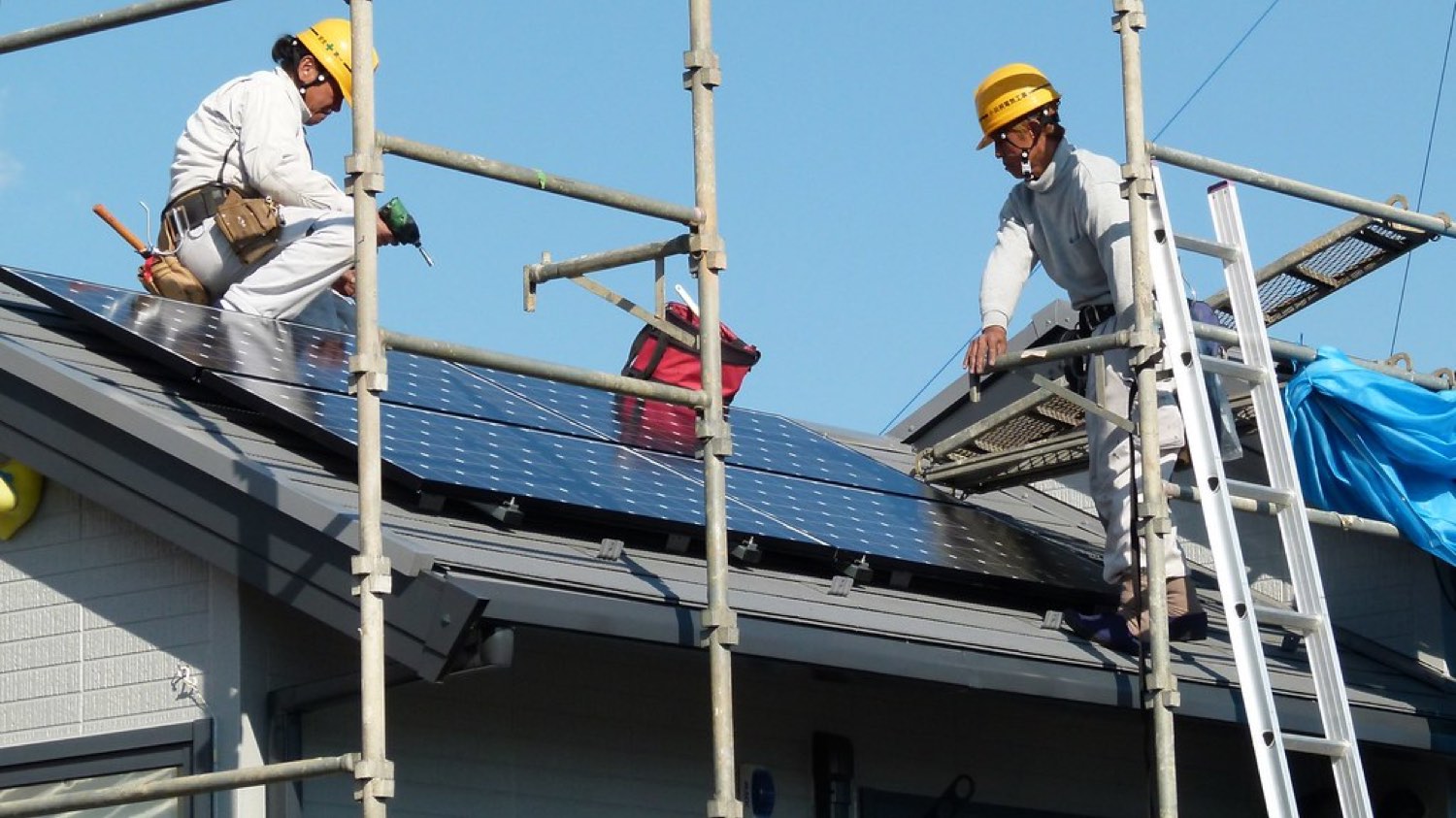
Installation is the stage customers picture when they think about solar, and it is often the shortest. A residential rooftop system usually goes up in a day or two. The crew mounts the racking, sets the modules, runs the conductors, and ties in the inverter and any storage. If the earlier stages were done right, the crew is building exactly what the plan set drew, and the day is smooth.
The trouble starts when the roof does not match the paper. A vent the imagery missed, a rafter that is not where the drawing assumed, a main panel with less capacity than expected. Now the crew has to improvise, and every field change is a divergence from the permitted design. That matters because the inspector and the utility will check the installed system against the approved documents. The crew's other job, beyond bolting things down, is to capture the as-built: photos, serial numbers, and any field changes, recorded against the project record. That as-built is the artifact that feeds inspection and interconnection. A change made on the roof and never written down becomes a failed inspection a week later.
Inspection, interconnection, and PTO
Two separate approvals stand between a finished install and a working system, and installers often blur them. First is the local inspection. The same building department that issued the permit sends an inspector to confirm the system was built to code and matches the approved plans. Pass, and you get a sign-off. Fail, and you get a correction list, a fix, and a re-inspection, each with its own wait.
Second is interconnection, which ends in permission to operate. PTO is the utility's formal approval to energize the system and connect it to the grid, and until it arrives the customer legally cannot turn the system on. The utility reviews the interconnection application, confirms the inspection passed, and often swaps the meter for one that can measure export. This is the stage you control the least. The queue length is the utility's, not yours. What you do control is the quality of the application, and clean applications whose equipment and system size match the inspection and the plan set move through faster than ones riddled with mismatches that trigger a back-and-forth. The through line of the whole pipeline shows up here one last time: the data entered at intake has to still be correct, and still match, at the very end.
Handoff to monitoring and service
PTO is the finish line for the sale and the starting line for the relationship. Once the system can legally run, it gets handed to monitoring and ongoing service. Production monitoring confirms the array is making what the proposal promised, which protects the customer and protects you from a referral turning into a complaint. The DOE encourages owners to track performance so a problem gets caught early rather than showing up as a surprise on a bill (DOE).
This handoff is the one most teams drop. The project closes, the file gets archived, and the system disappears from view until the homeowner calls about a dark app or an inverter fault. By then the data needed to diagnose it, the exact equipment, the expected production, the install photos, is scattered across the tools the earlier stages used. When the full project record carries into monitoring, service starts with context instead of a scavenger hunt. For an installer, the installed base is also a book of business for maintenance, warranty work, and system additions, and the broader office research from the DOE frames that long operating life as part of solar's value, not an afterthought (DOE).
Where deals stall between stages
If you track a cohort of deals and mark where each one lost days, the pattern is not random. The same handoffs leak time on project after project. These are the ones worth watching.
- Re-entering the same data into every tool. When the address, system size, and customer details get re-typed at design, at contract, at the plan set, and at interconnection, each re-entry is a chance to introduce a mismatch. The mismatch is what gets a permit or an interconnection application rejected.
- Selling a design the roof cannot support. An inaccurate as-sold design does not fail at design. It fails on install day as a change order, which is the most expensive place to discover it and the one most likely to delay inspection (DOE).
- Treating permitting as a black box. Submitting an incomplete package and waiting to hear back burns weeks. In SolarAPP+ markets a compliant design can skip the manual queue entirely, so knowing where that fast lane exists is worth real time (DOE).
- Losing the as-built. Field changes a crew makes but never records turn into failed inspections and rejected interconnection applications, because the installed system no longer matches the approved documents.
- Confusing inspection with PTO. A passed inspection does not mean the customer can switch the system on. Only the utility's permission to operate does that, and skipping the distinction leads to angry calls when a newly installed system sits dark (DOE).
- Dropping the monitoring handoff. A system that goes live and then vanishes from your systems becomes a support fire drill later, with the diagnostic data scattered and the customer already frustrated.
None of these is a hard stage to execute. Every one is a handoff that was allowed to lose or corrupt the data moving across it.
A stage-gate checklist for each deal
The way to make a pipeline repeatable at volume is to put a gate at the end of each stage. A deal does not advance until the gate's artifact exists and matches the one before it. Run this on every project.
- Lead gate: verified address, confirmed ownership, utility identified, and a real usage figure captured before any design time is spent.
- Design gate: shading-aware production modeled against the customer's actual tariff, with a layout the roof can physically hold.
- Proposal gate: savings and price the customer can check against their own bill and competing bids, not a flat-rate guess.
- Contract gate: signed agreement and approved financing whose system size and equipment match the proposal exactly.
- Plan-set gate: stamped drawings and single-line that match the as-sold design, with no drift introduced in redrawing.
- Permit gate: approved permit whose details match the plan set, routed through SolarAPP+ where that market offers it.
- Install gate: as-built captured with photos, serials, and any field change recorded against the project record the same day.
- Inspection gate: local sign-off obtained, with the installed system matching the approved plans.
- PTO gate: interconnection application clean and consistent, permission to operate received, customer told clearly when they can energize.
- Monitoring gate: system enrolled in monitoring with the full project record attached, so service starts with context.
The gates do two things. They stop a bad handoff from traveling downstream, and they tell you exactly where a stuck deal is stuck. A pipeline you can see is a pipeline you can fix.
Running the whole pipeline on one platform
The problem running under every stall in this piece is the same one. Design lives in one tool, the proposal in another, project tracking in a third, and monitoring in a fourth. So the deal's data gets re-entered at every boundary, and each re-entry is where a mismatch is born. The fix is not a faster version of any single stage. It is removing the boundaries, so the data entered once at intake carries all the way through activation.
That is what Enact is built to do. It runs design, proposal, project tracking, and monitoring on one platform for installers, so a deal's details flow from the first layout through the signed proposal, the project pipeline, and into live monitoring without being re-keyed between systems (Enact for installers). A rep models the roof from imagery, builds a tariff-based proposal, and that same project record follows the deal through tracking to activation, then becomes the record monitoring and service work from. For teams whose book includes larger rooftops and businesses, the same end-to-end approach extends to commercial projects (Enact for commercial). Pick any handoff in the table at the top of this page. The value of one connected platform is that the handoff stops being a place where data is re-entered and starts being a place where it just moves.
Frequently asked questions
What is the solar installation process for installers?
For an installer it runs as a pipeline: qualify the lead, design the system remotely and build a proposal, sign the contract and secure financing, produce a stamped engineering plan set, pull the building permit, install the system, pass inspection, get interconnection and permission to operate from the utility, then hand off to monitoring. The DOE lays out this same sequence for homeowners going solar (DOE).
What is PTO in a solar project?
PTO stands for permission to operate. It is the utility's formal approval to energize the system and connect it to the grid, and it comes after the local inspection passes and the interconnection review is done. Until PTO arrives, the customer legally cannot turn the system on, which is why it is a distinct step from inspection in the standard going-solar process (DOE).
Where do most residential solar deals lose time?
At the handoffs between stages, not inside any one stage. The same customer and system data gets re-entered into a new tool at design, contract, plan set, and interconnection, and each re-entry can introduce a mismatch that gets a permit or utility application rejected. An inaccurate as-sold design is a frequent culprit because it surfaces as a change order on install day (DOE).
Can you design a residential solar system without a site visit?
Yes. Remote design models roof planes, tilt, and obstructions from high-resolution aerial and satellite imagery, so you can produce an accurate layout before any truck roll. The DOE treats orientation, tilt, and shading as the core inputs to real output, which is what imagery-based design captures (DOE). A confirmation visit still happens later, closer to install.
How does SolarAPP+ speed up solar permitting?
SolarAPP+ is a DOE-backed online tool that gives standard residential systems an automated, instant permit approval in jurisdictions that have adopted it, instead of waiting in a manual review queue at the building department (DOE). It is available in some markets rather than all, and it covers typical systems, so treat it as a fast lane where it exists.
Why keep the project on one platform from lead to PTO?
Because separate tools for design, proposal, tracking, and monitoring force the deal's data to be re-entered at every boundary, and those re-entries are where mismatches and rejections start. Running them on one platform carries the data through without re-keying, which is how Enact connects design, proposal, project tracking, and monitoring for installers (Enact for installers).
Sources
- DOE - Homeowner's Guide to Going Solar
- DOE - Solar Performance and Efficiency
- DOE - Streamlining Solar Permitting with SolarAPP+
- DOE - Solar Energy Technologies Office
- EnergySage - Solar Panel Cost
- SEIA - Solar Industry Research Data
- EIA - Average Price of Electricity (FAQ)
- Enact - Solar Software for Installers
- Enact - Commercial Solar Software
See your real numbers
Enact builds proposals from your actual roof and utility data — so the savings you see are the savings you get. Get a free, no-pressure design.
Get a Free Solar Proposal